
Bank
Holds the IBAN, bank name and account details, and shows the IBAN masked in the list.
Your money is rarely in one place. Some sits in the bank, some in the cashier's drawer, and some with the payment provider until it settles. Haseem lets you create an account for every place money moves through, and see its balance and movements as they happen.
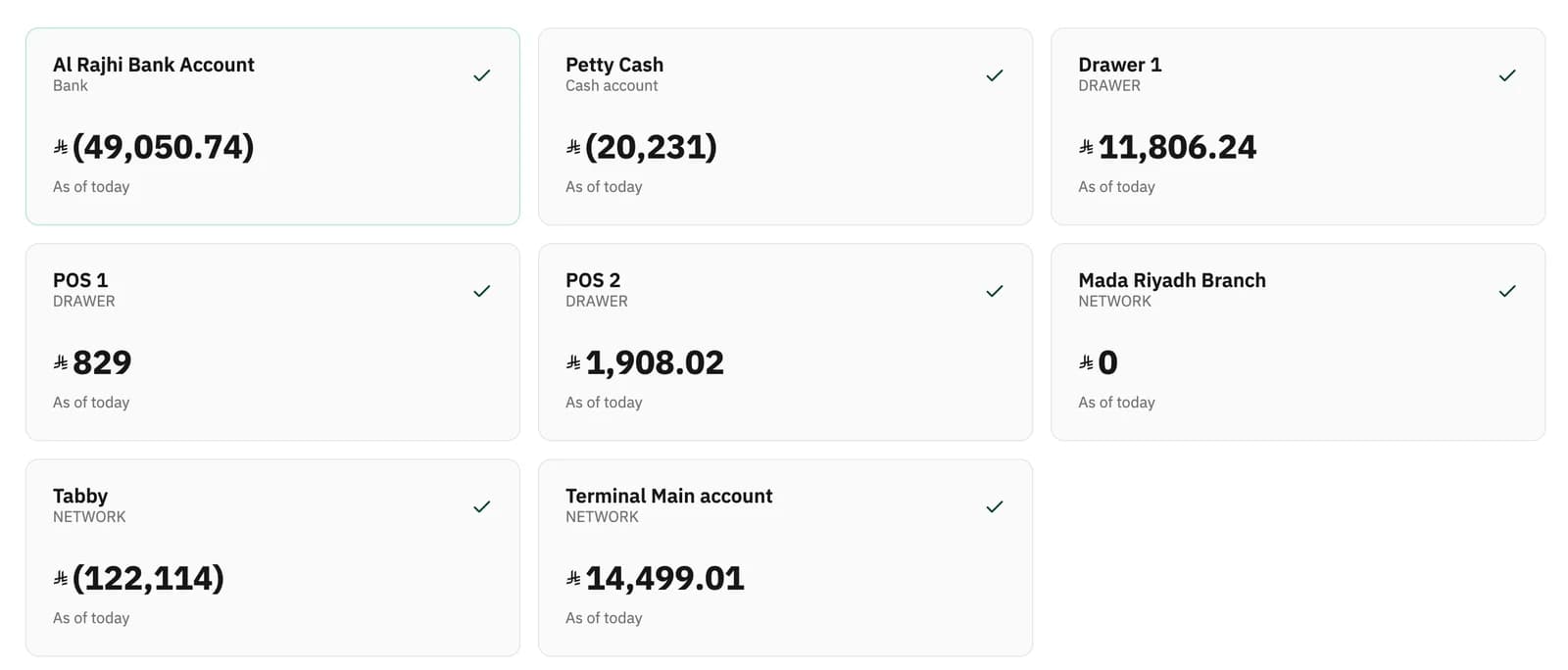
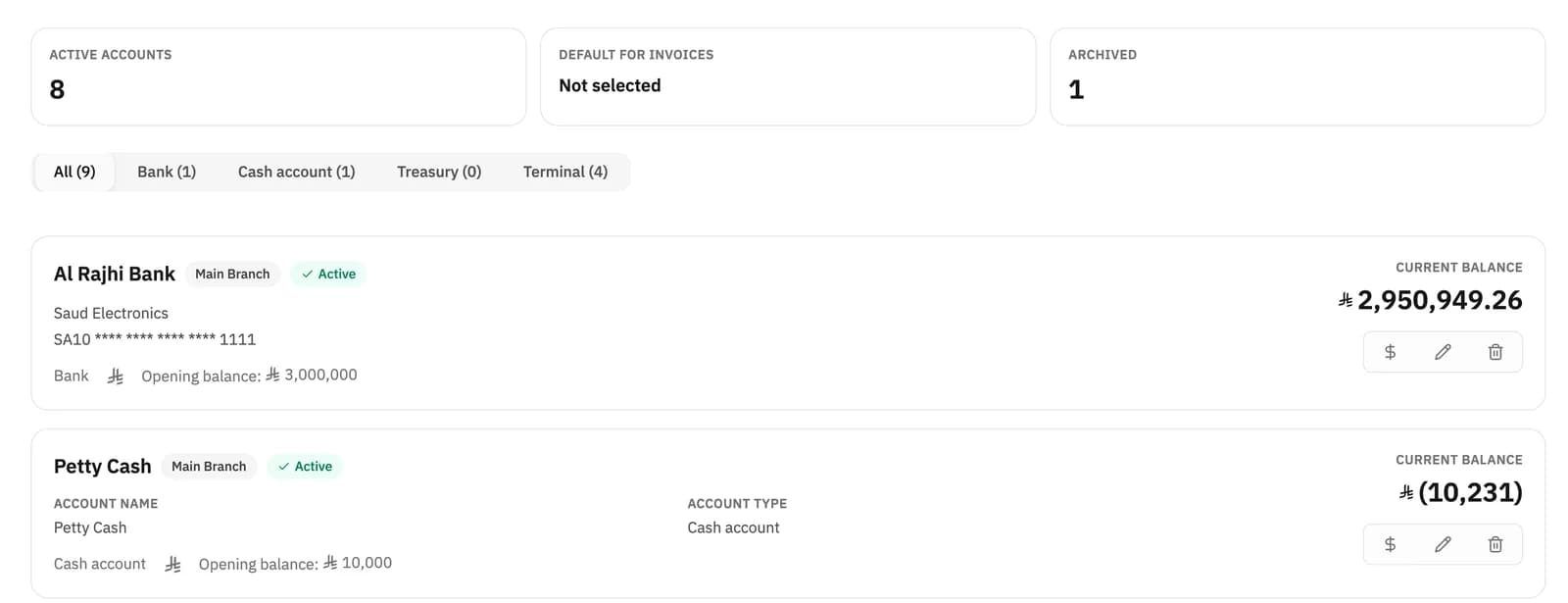
You pick the type when you create the account, and each type behaves differently inside Haseem. Every account appears in the list with its current balance, its opening balance and its branch.
Holds the IBAN, bank name and account details, and shows the IBAN masked in the list.
General cash in the business — money received and paid outside the cashier.
Cash held under its own internal arrangement, with a balance and movements of its own.
Receives card payments taken at the point of sale, and can be set up per branch.
Cash held at the point of sale, moving with cashier sales as they happen.
Every point-of-sale invoice lands where it belongs: cash sales go to the drawer account, card payments go to the terminal account. Nothing has to be entered a second time once the cash session is closed.
When your banking details change, older invoices keep the details they were issued with. Haseem stores the bank details as a snapshot inside each invoice at the moment it is issued, so editing an account later does not rewrite your history.
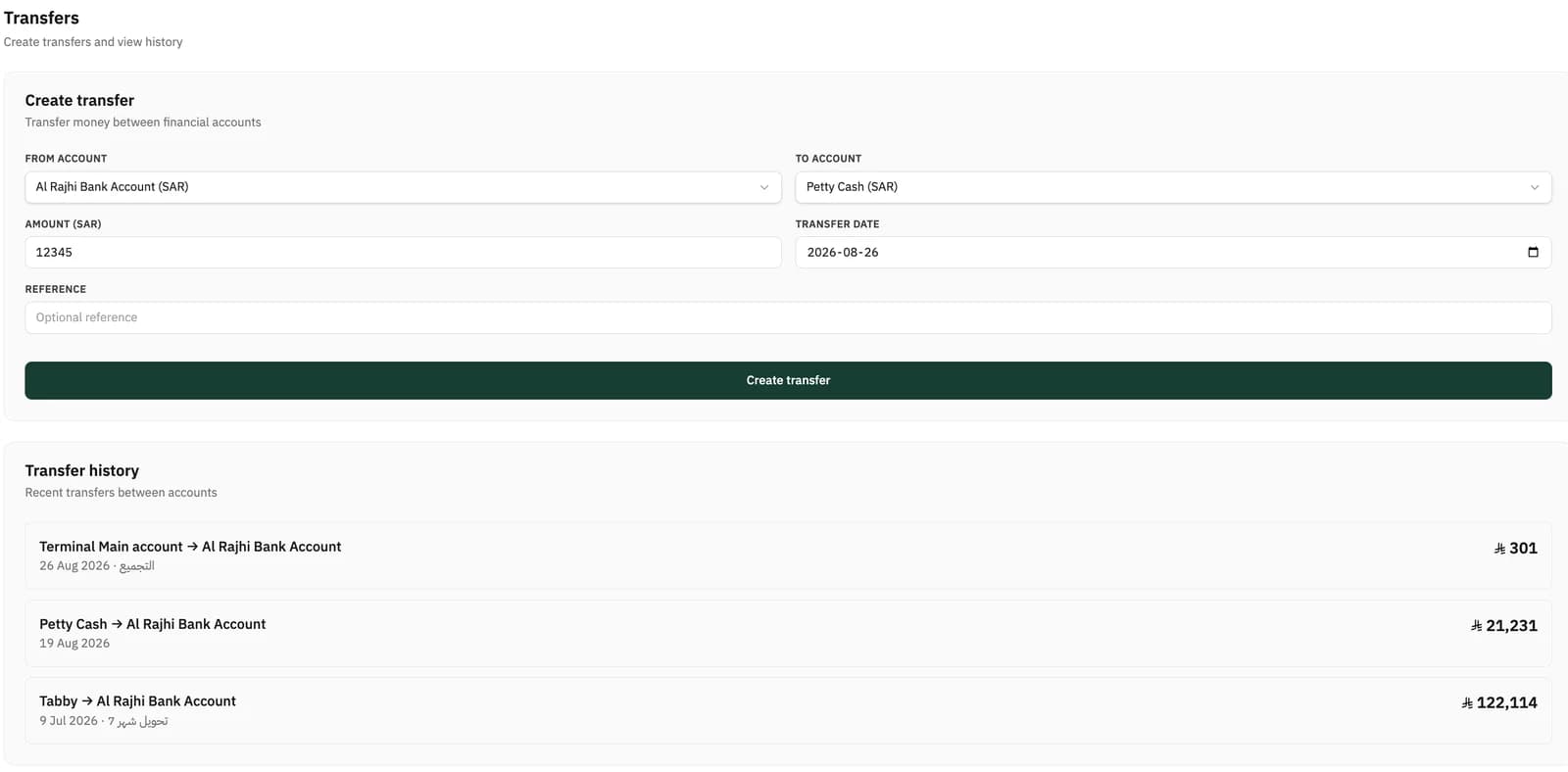
Sweeping branch cash into the bank, or moving from the treasury to a bank account: pick the account it comes from and the account it goes to, enter the amount and date, and add an optional reference. The transfer posts to both accounts and appears in the transfer history with both account names and the direction of the movement.
An account can be assigned to a specific branch, or made available to every current and future branch. Each account carries its branch tag in the list, so you can tell where a movement came from.
When you create an account you can enter an opening balance with its date and a reference — something like ‘Opening balance from previous system’ — so you start from your real figures instead of starting at zero.
The Cash & Banks screen gives you the current balance of each account and filters movements by account. Negative balances appear in parentheses as accounting convention expects, and an account you have stopped using can be archived rather than deleted, so its record stays intact.
Set up your financial accounts and start from the balances you already have. Haseem settles it for you.
Message the Haseem team on WhatsApp14-day free trial. No credit card.