
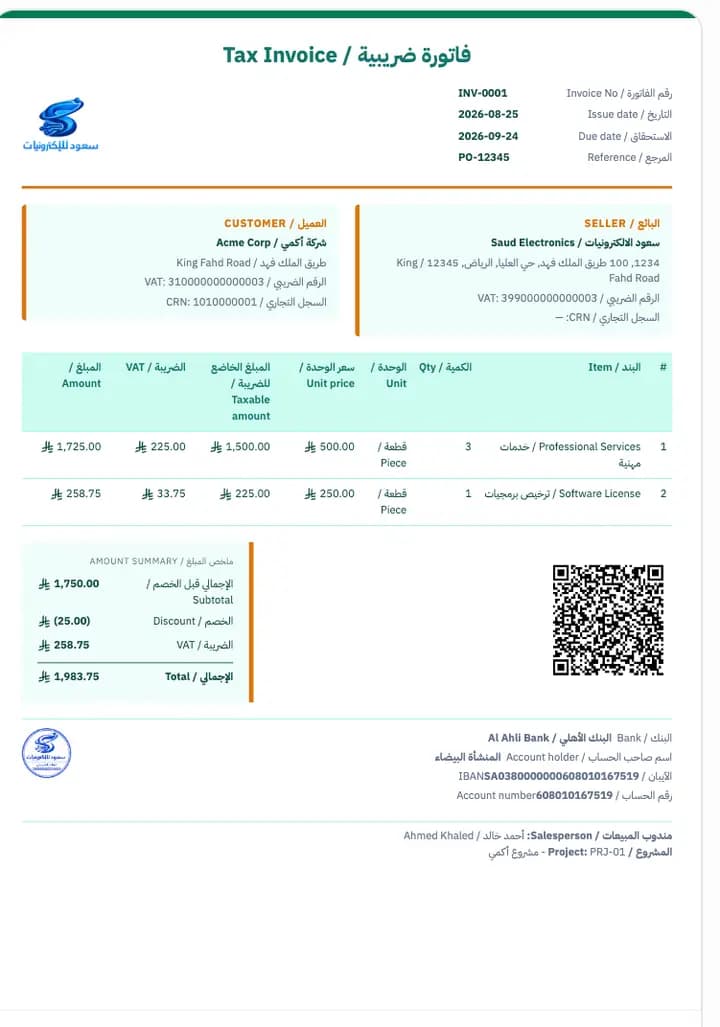
For invoices you print and send
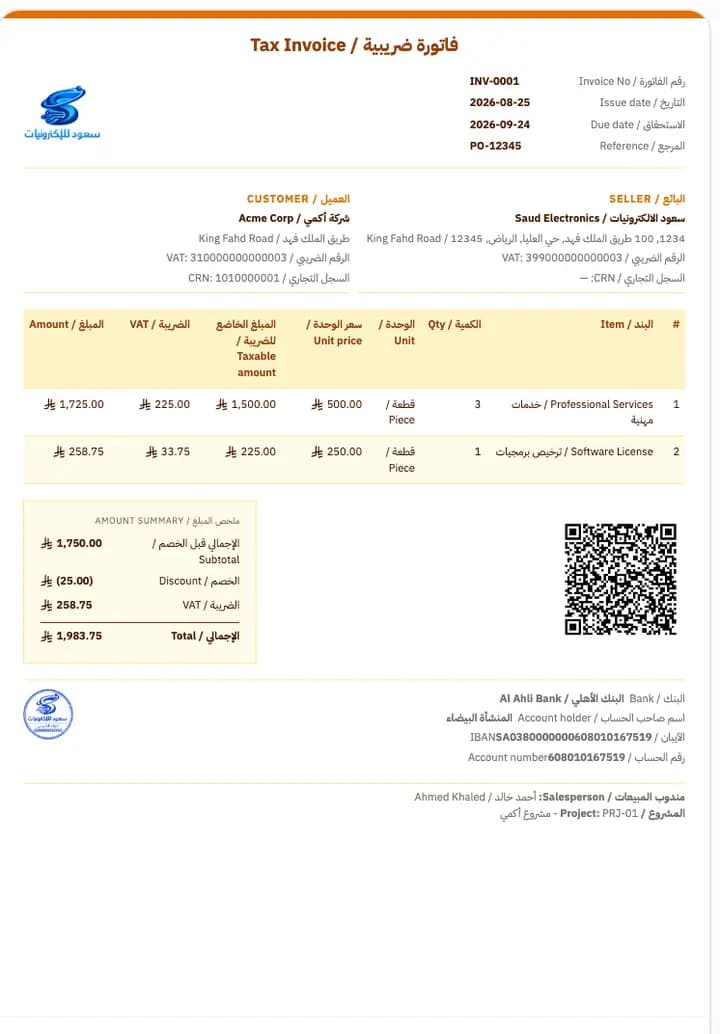
A full layout with room for seller and buyer details, a line table carrying the taxable amount and VAT per line, the amount summary, bank details, and the stamp.
A library of ready-made invoice templates for A4 and for thermal printers — and every document type gets its own default. Change the logo and colours, set what appears on the document, and save it as your default — and the invoice stays compliant with Phase 2 requirements.
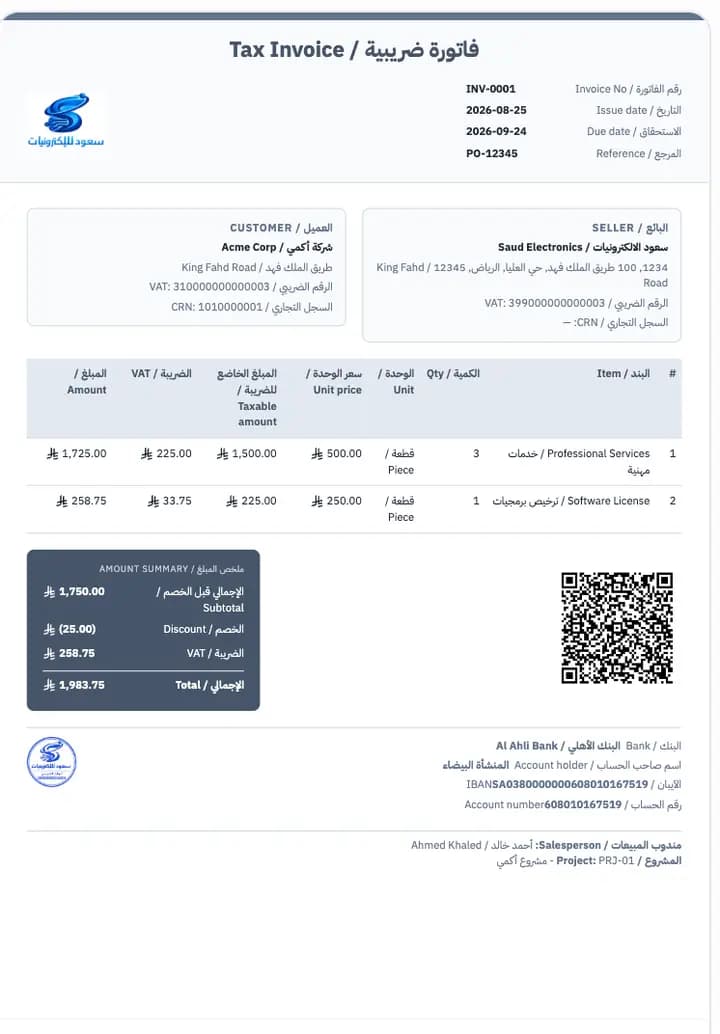
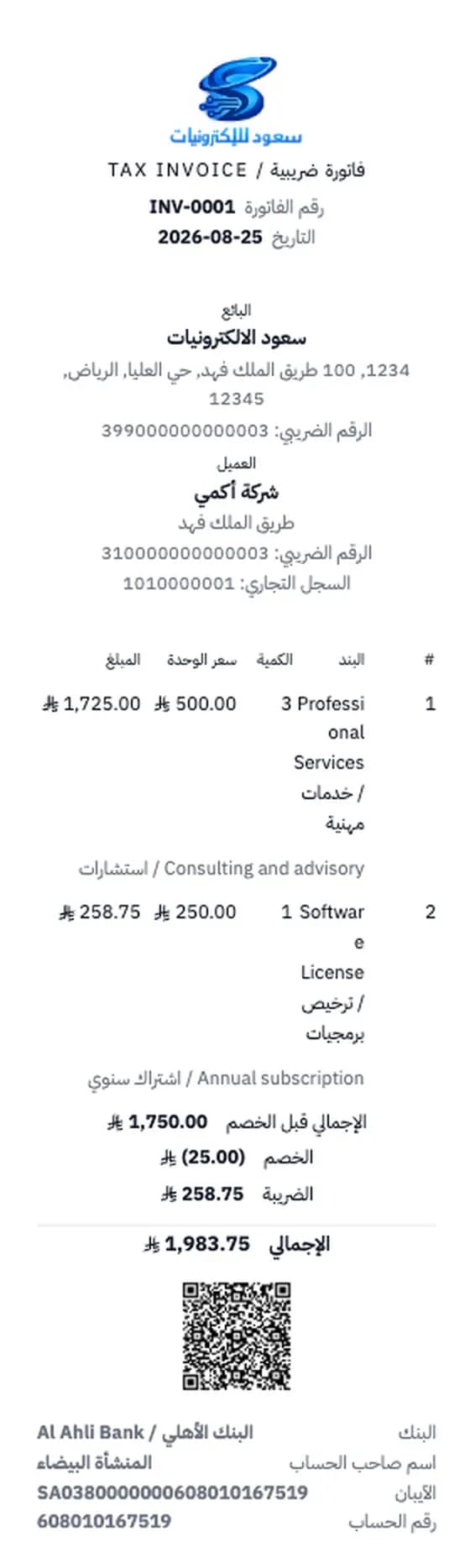
Ready-made invoice templates: A4 for invoices you print and send, and thermal for the cashier's printer. Preview any template before you use it, then customise it however you want.
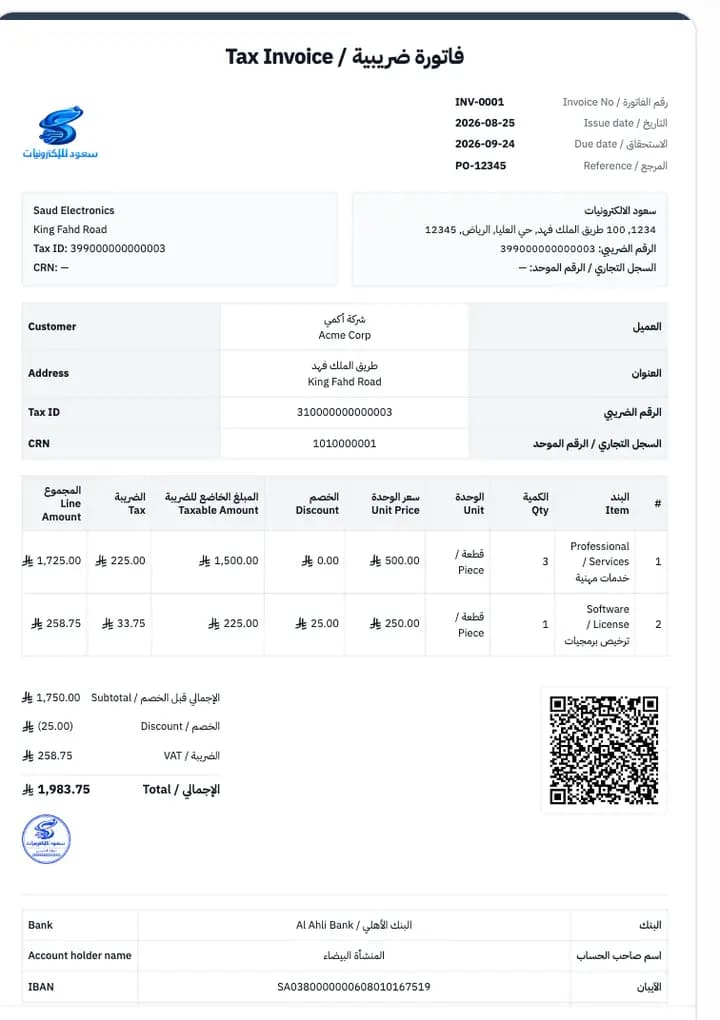
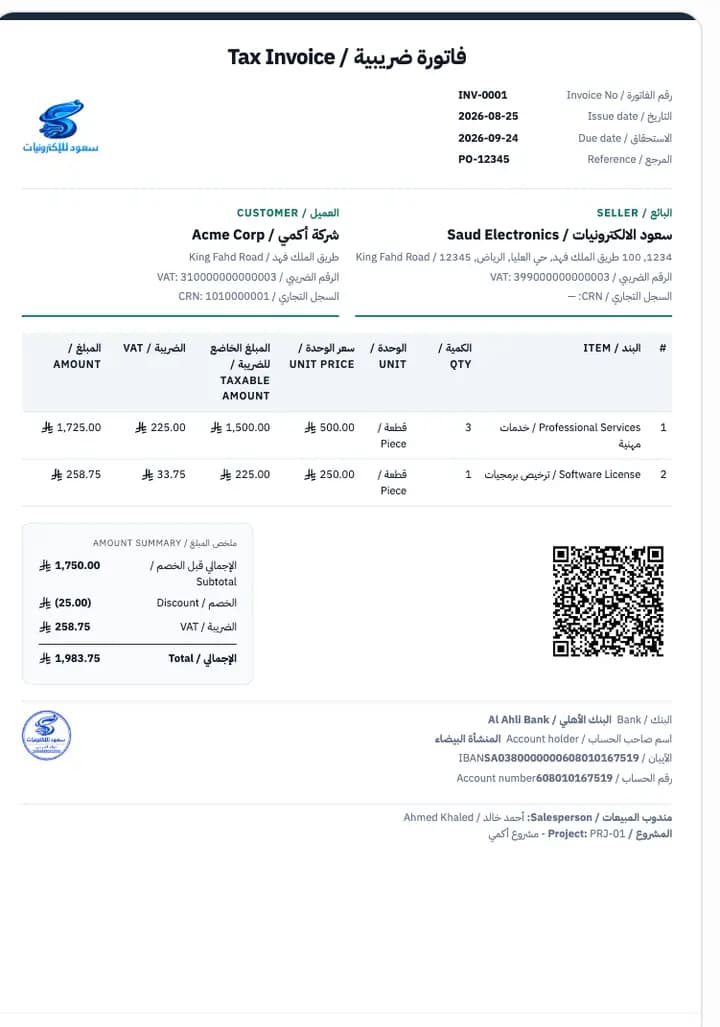
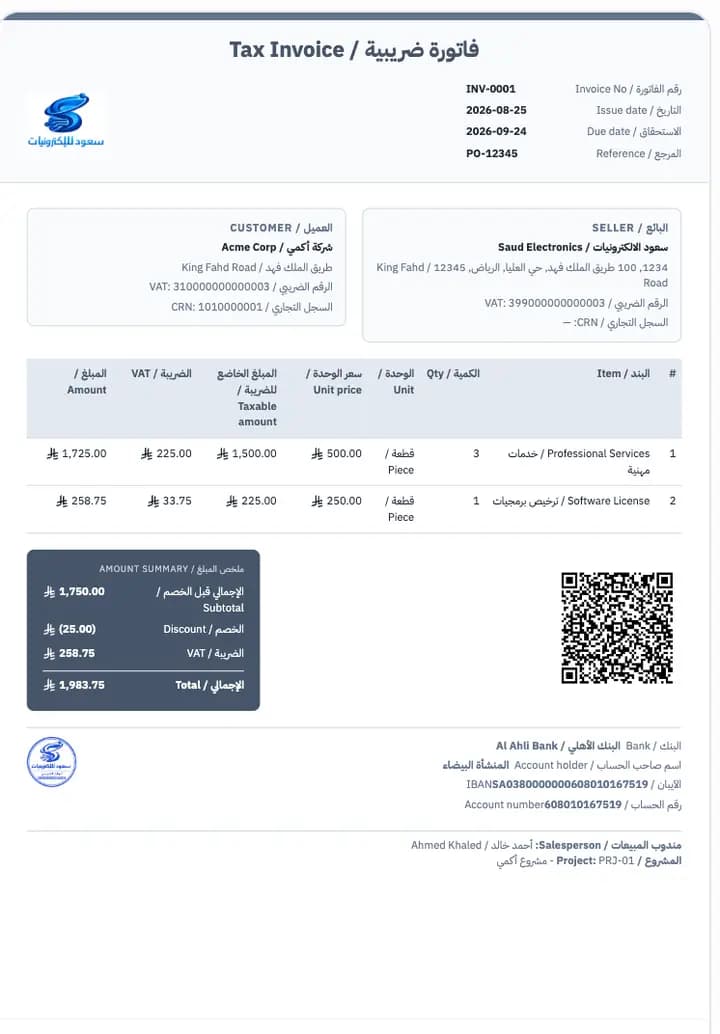
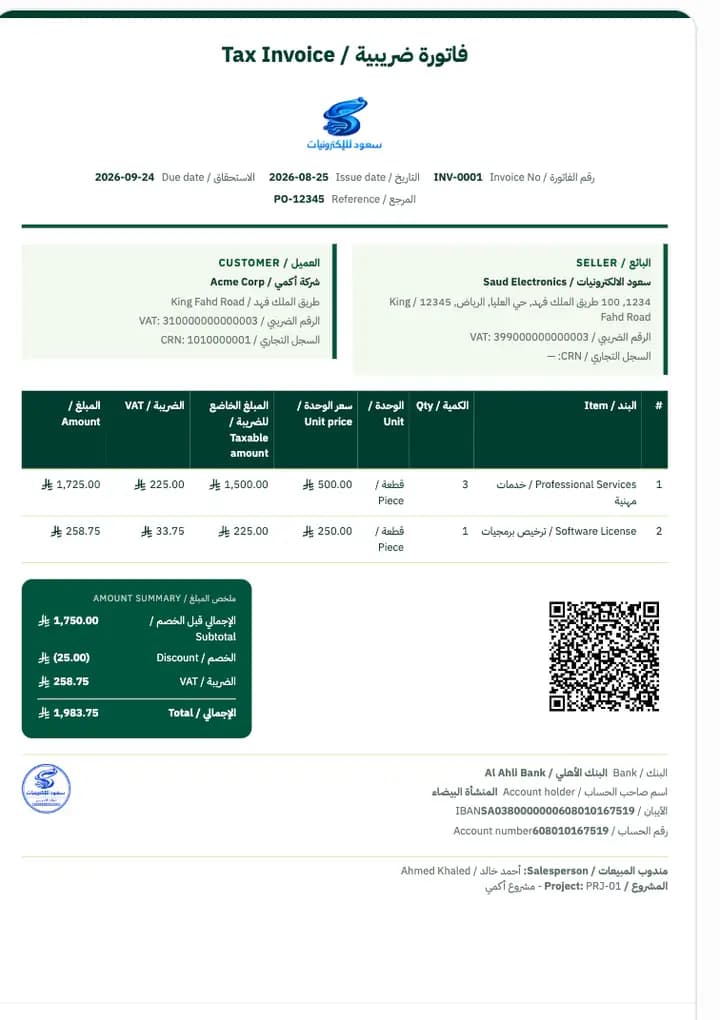
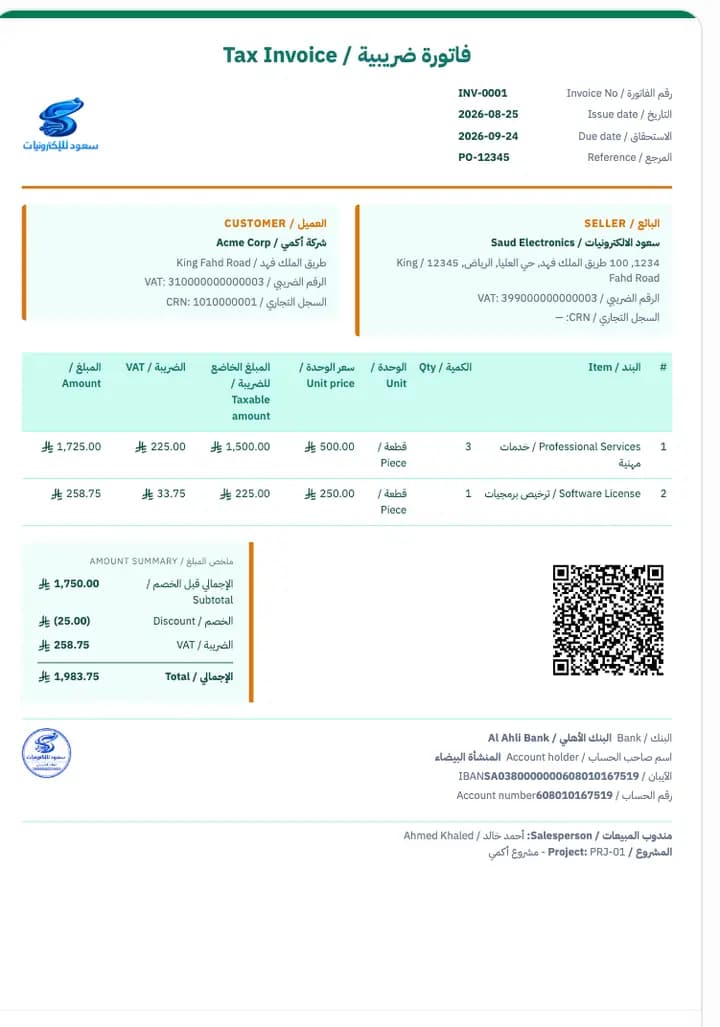
New templates are added to the library, and appear inside the software directly.
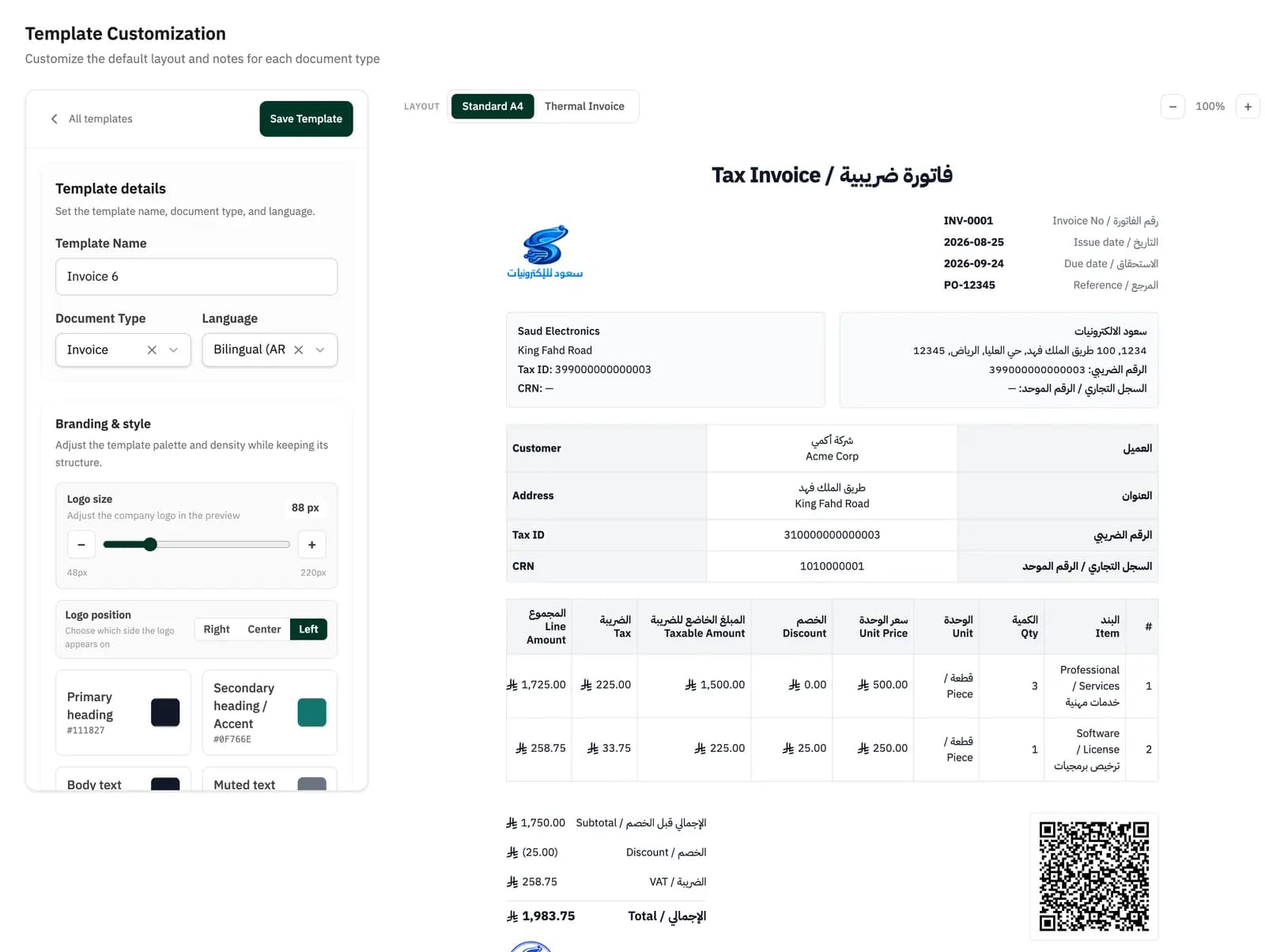
The preview sits beside the controls, so every edit lands on the document immediately, before you save. And if changes are still unsaved, the software tells you before you leave the screen.
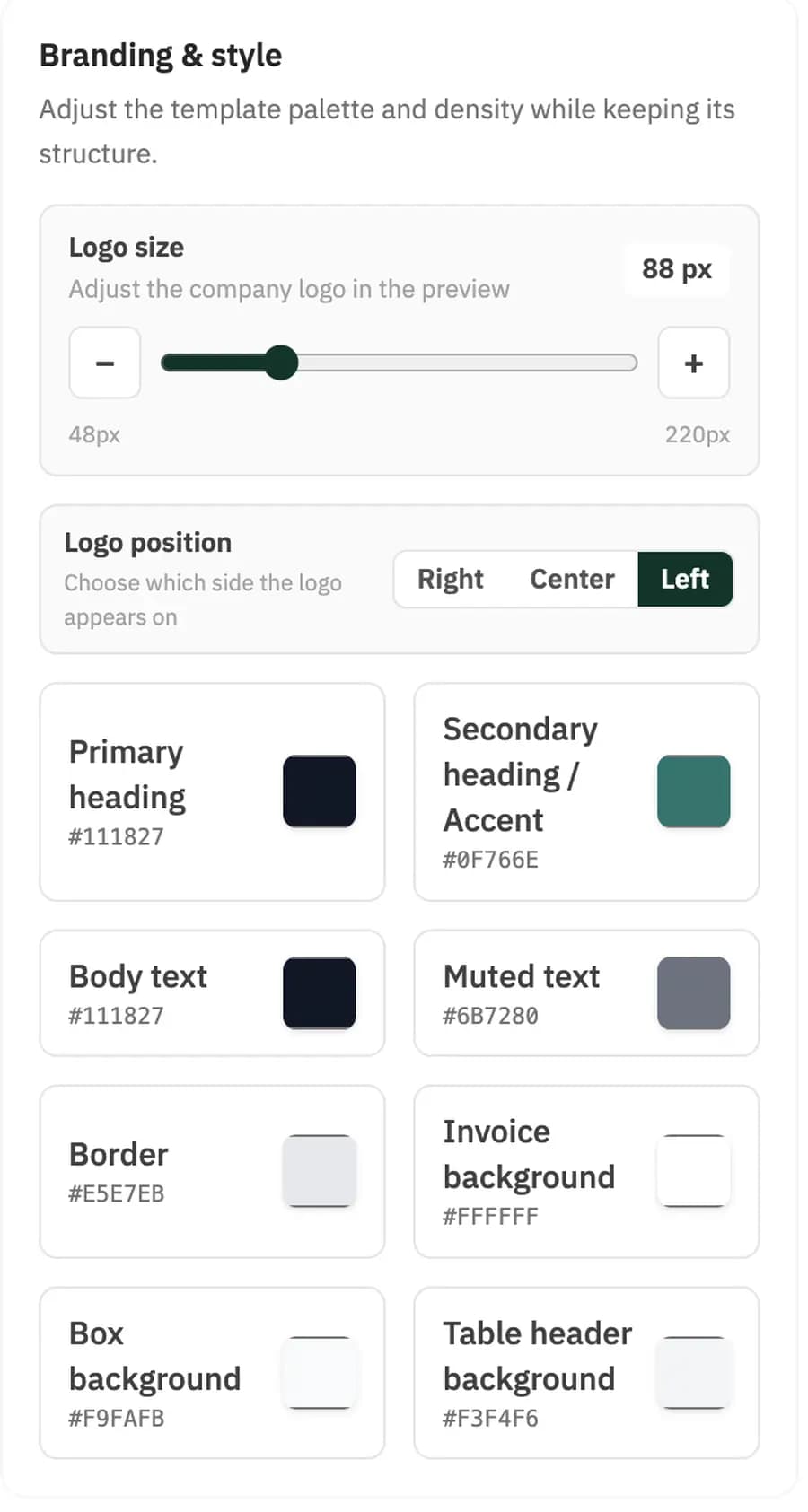
You control the logo's size and position, and eight independent colour slots inside the document — from headings and text through to borders and backgrounds. The fields and where they sit stay as they are; what changes is the look and the density.
A subtle watermark sits behind the invoice content — your company logo, your slogan, text you write, or any image you choose. The document carries your identity at a glance, and the invoice data stays readable.
Switch the watermark on and pick its type in the template settings, or leave it off.
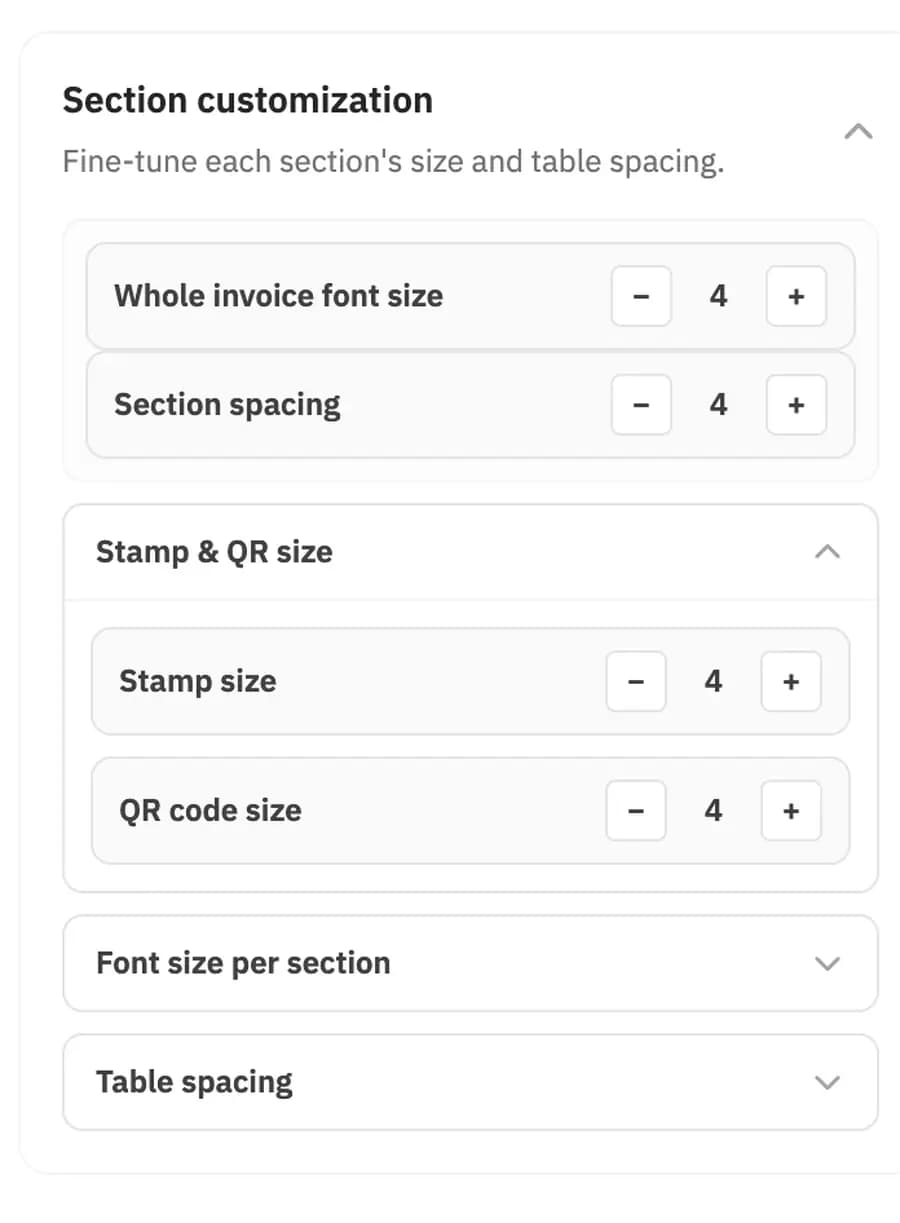
It isn't only colour. You control the density of the document itself, so the invoice comes out either comfortable to read or compact enough to save paper.
A4 templates for invoices you print and send, and thermal templates for the cashier's printer. Pick the template that fits the job, and customise it with the same controls.
A full layout with room for seller and buyer details, a line table carrying the taxable amount and VAT per line, the amount summary, bank details, and the stamp.
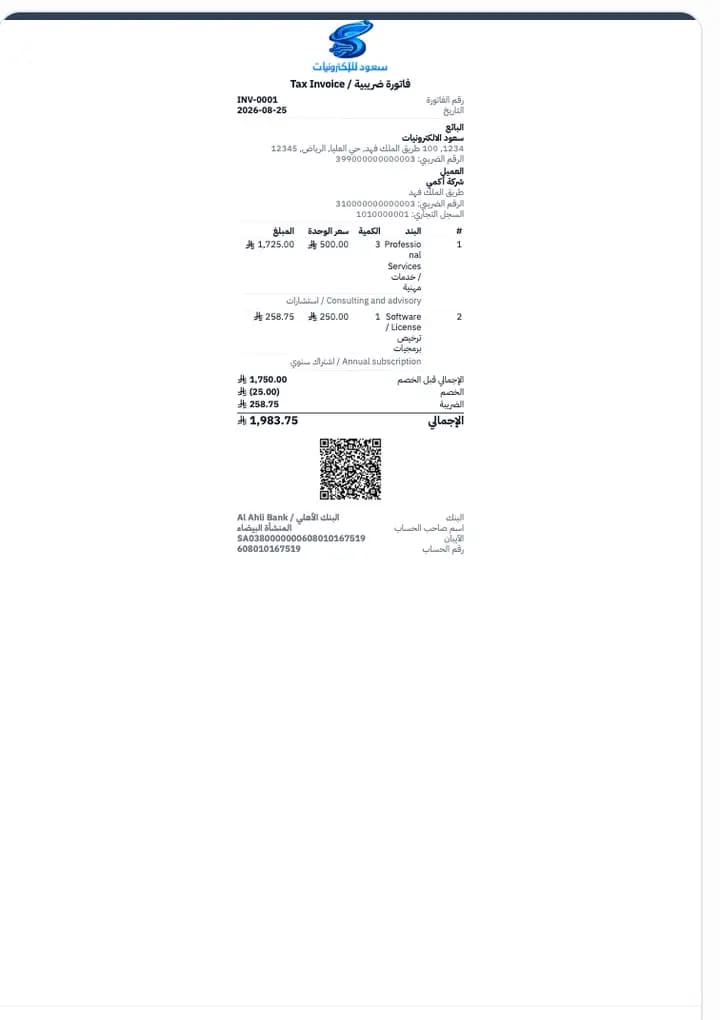
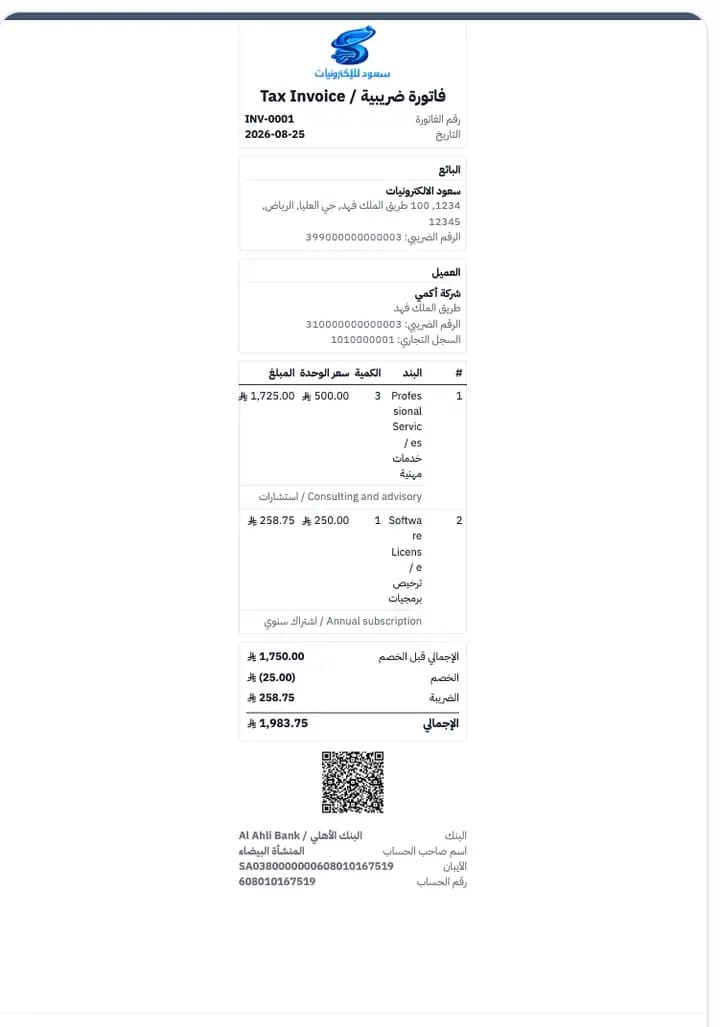
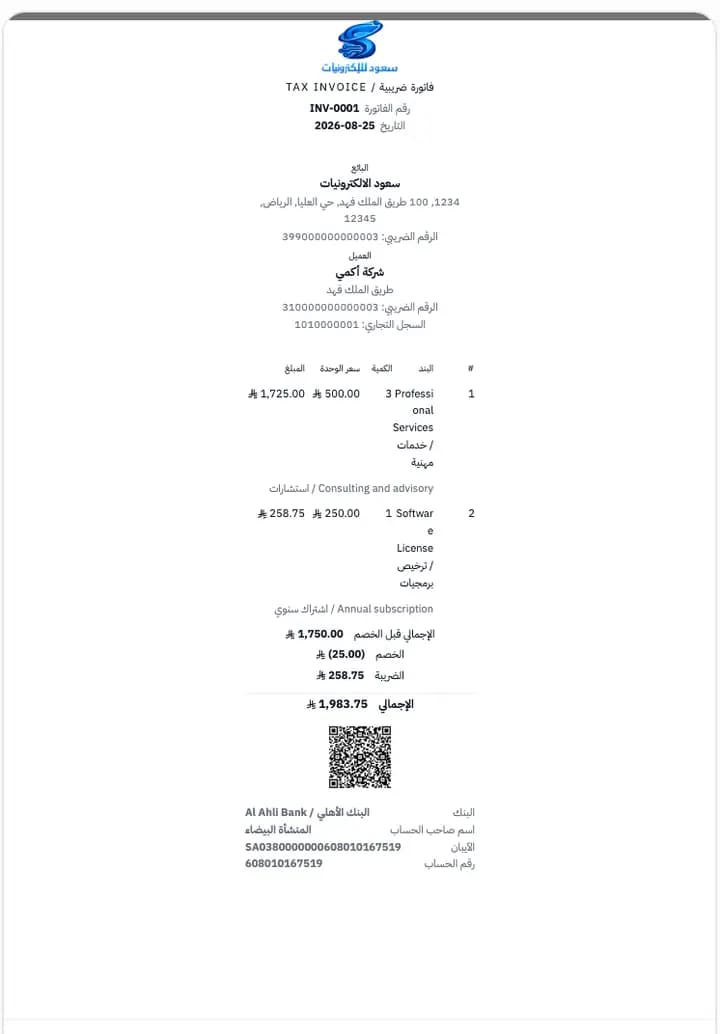
A narrow layout built for thermal paper, showing the essentials: company details, line items, the amount summary, and the QR code.
Simplified invoices issued through point of sale count toward the plan's monthly invoice allowance.
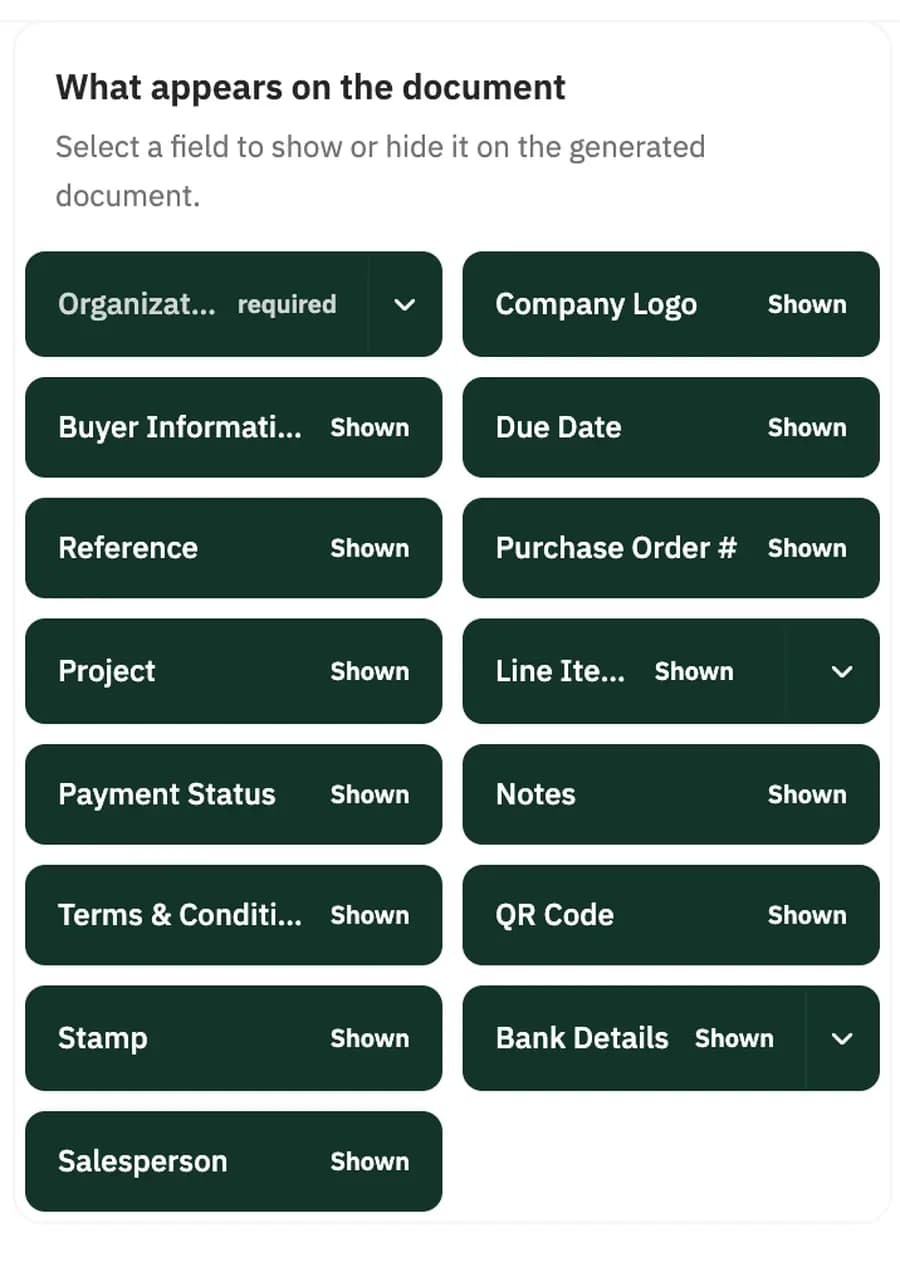
Select a field to show or hide it on the generated document.
The QR code is one of the mandatory fields on a tax invoice compliant with Phase 2 requirements — leave it shown.
Write the notes and the terms and conditions once in Arabic and English, and they appear automatically on every document of that type. Each document type carries its own text.
Notes and terms and conditions in Arabic and English, saved with the template and carried onto every new document.
The saved text is a starting point, and you can change it on any individual document before you issue it.
It isn't one template for everything. Customisation isn't limited to the invoice — the same controls apply to every document type: the layout, the eight colours, the watermark, the section sizing, the fields that appear, and the default text. Set a type once, and every new document of that type comes out the way you defined.
Choose the document type in the editor, set its layout, language, and default text, and save. Every new document of that type starts from the same setup.
Quotations and proforma invoices have their own templates too, available from the Essential plan.
Read about quotations →Choose Arabic, English, or bilingual — and the field labels appear in both languages on the document itself, from the invoice number to the amount summary.
رقم الفاتورة / Invoice No · التاريخ / Issue date · الرقم الضريبي / VAT · المبلغ الخاضع للضريبة / Taxable amount · الإجمالي / Total.
Customisation works on the look and the density — colours, sizes, and spacing. The content of the tax invoice stays as it is, and the templates issue it carrying the mandatory fields and the QR code. Invoices issued from Haseem are compliant with Phase 2 requirements.
| Item | Qty | Unit price | Taxable amount | VAT | Amount |
|---|---|---|---|---|---|
| Professional Services | 3 | 500.00 | 1,500.00 | 225.00 | 1,725.00 |
| Software License | 1 | 250.00 | 225.00 | 33.75 | 258.75 |
| Subtotal | 1,750.00 | ||||
| Discount | (25.00) | ||||
| VAT | 258.75 | ||||
| Total | 1,983.75 | ||||
Yes, and you control its size from 48 to 220 pixels and its position: right, centre, or left.
Yes. You control eight independent colour slots: the primary heading, the accent colour, body text, muted text, borders, the invoice background, box backgrounds, and the table header background. The structure of the document stays as it is.
No. Customisation changes the look and the sizes, not the content of the tax invoice. The templates issue the invoice carrying the mandatory fields and the QR code, and it remains compliant with Phase 2 requirements.
One template on the Invoicing plan, two on Essential, and unlimited on Complete.
Yes, there are dedicated thermal-printer templates alongside the A4 templates. Simplified invoices issued through point of sale count toward the plan's monthly invoice allowance.
Yes. You choose Arabic, English, or bilingual, and the field labels appear in both languages on the document itself.
Yes. Switch the watermark on and choose its type — your company logo, a slogan, text you write, or any image you choose — and it appears subtly behind the invoice content, or leave it off.
Yes. You set the font size across the whole invoice or per individual section, the section spacing, the table spacing, and the size of the stamp and the QR code.
Yes. Adding stamps is available from the Essential plan, and you show or hide it from the template settings.
14-day free trial — no credit card, no commitment